










Over-the-counter
benefits store

You can now use your Medicare Advantage OTC Benefits card on Amazon to get the products you need to stay healthy.
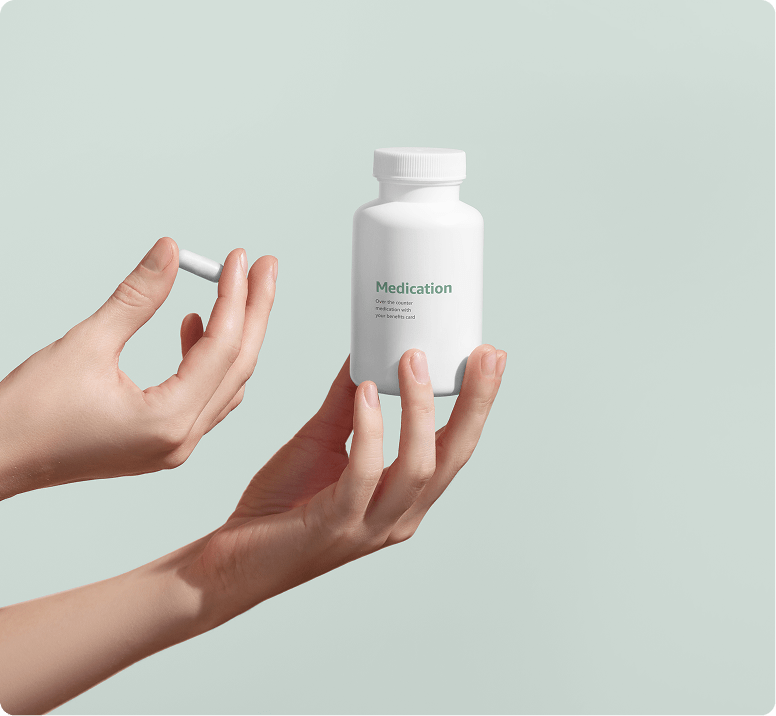
two hands holding a capsule of medication and a medication bottle
Haven’t added your OTC benefits card?
Add your OTC benefits card or learn more about this

Other Health Services you might be interested in

These Services are not included in the Medicare Advantage program

Learn More

Which health plans have approved Amazon as a Retailer for their members?
If your health plan is listed below, then they have added Amazon as an approved retailer for their members and you can register and use your OTC Network benefits card on Amazon.com. If your health plan is not listed, your plan has not yet enabled Amazon as a retailer. You can call the number on the back of your card to confirm where you can currently shop with your OTC benefits.
Supported Health Plans:
AetnaArchCareBaylor Scott & WhiteBCBS MichiganCarePartnersCenterLight Health CareChampion Health PlanCommunity Care WIComplete Senior CareDean CareElderplan Multi-WalletEmblemHealthERP Health
Food for MountaineersHamaspikHealthfirstHighmark Health OptionsHighmark WholeCareInland Empire Health PlanKern Family Health CareLore HealthMedicaMercy CareMetroPlusHealthOscar Health PlanPrimeWest
Quartz BenefitsReinvestment PartnersSouth County Health AllianceSpeak ElevanceSpeakHealth PlanThe Health PlanTHP - Mountain Health TrustTufts Health PlanUPMC MedicaidVNS HealthWellSense
Which Medicare Advantage and Medicaid OTC benefits cards can be used to purchase items in Amazon’s store?
Amazon supports certain OTC Network cards. To begin using your OTC Network card, add it to your Amazon wallet in Your Payments.
How do I use my OTC Network card on Amazon?
Create an Amazon.com account or use your existing account and add your OTC Network card as a payment option in Your Payments. You will also need to add a backup payment method such as a credit or debit card added to your Amazon wallet. After your payment methods have been added, you will be able to purchase eligible items on Amazon using your benefits.
How can I find eligible items on Amazon.com?
You can shop thousands of eligible items on Amazon.com, including in our OTC storefront and Amazon Fresh storefront. Once you have added your OTC Network card, items eligible for purchase with your benefits will display an “OTC Benefits card eligible” badge on the product detail page and in your cart. You can also filter search results for eligible items by selecting the “OTC Benefits card” filter option.
How do I know what my OTC Network card balance is?
First add your OTC Network card to your Amazon wallet, then select an eligible item for purchase and proceed to checkout. At checkout, you can select ‘Check coverage and balances’ to see your overall balance and the balance for each of the specific benefit types provided by your health plan. Balance information is provided by OTC Network. You may contact OTC Network or your health plan to confirm your balance.
Can I return an item purchased using an OTC Network card?
Returns can be initiated for eligible items through Your Orders. For more details on our return policy, visit Help and Customer Service.
Can I use my OTC Network card to pay for shipping on eligible items?
Coverage of shipping varies by program. If your specific benefit program covers shipping and your card has sufficient balance to pay for shipping, this will automatically be reflected during checkout.
Can I purchase eligible items and ineligible items in the same order?
Yes, eligible items will be purchased using your OTC Network benefits card and ineligible items will be purchased using your backup payment option, such as a credit card or debit card added to your Amazon wallet.
What should I do if I receive an error message when adding my OTC Network card?
You can contact Amazon customer support here or by calling 1-888-280-4331. If Amazon is unable to resolve your issue, use the information on the back of your OTC Network card to contact your health plan or OTC Network.